View reports
After a report has been generated,
the report is posted on the My
Reports tab. Reports that have not yet been viewed display
in bold.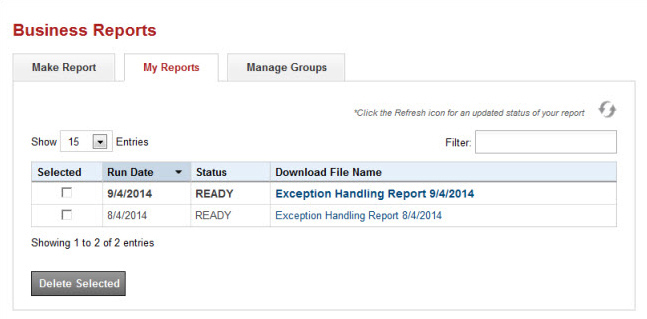
After 30 days, you will receive an email stating that a report in the My Reports tab is scheduled for deletion. After 60 days, the report will be deleted.
 Open or save a report
- Select the report link when the status is READY.

- Follow your browser's prompts to open or save the file.
My reports tab actions
- Refresh - If a report shows a status of PENDING, select the refresh icon
 to refresh the page. If the status remains pending, wait a few minutes and try the refresh again. Data updates occur every few minutes.
 - Filter - In the Filter field, enter all or part of a run date, status, or file name to filter the list of reports.
- Delete - In the Selected column, select the check box for the report, and select Delete Selected to delete the report from the list.
- Sort - Select a column heading to sort the list by that column.