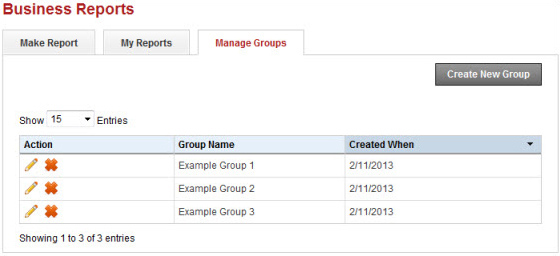
Manage groups
On the Manage Groups tab, you can create a group that contains multiple clients. You can then use the group to generate a single report with data for multiple clients included.
 Set up a new
group
Set up a new
group
- Select the Manage Groups tab.
- Select Create
New Group. The New Group dialog box appears.
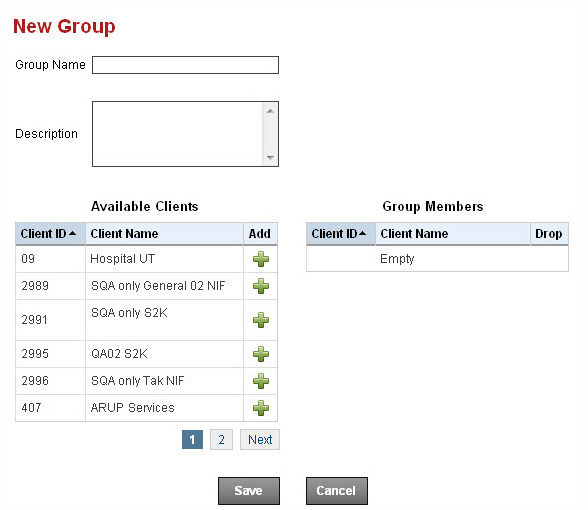
- Enter a Group Name.
- Enter a Description (optional).
- In Available
Clients, select the add icons
 next to the names of the
clients you want to add to the group. The clients are added to the Group Members
list.
next to the names of the
clients you want to add to the group. The clients are added to the Group Members
list. - Select Save.
Edit or delete a group
Groups you have created are displayed on the Manage Groups tab.
- Select the edit icon
 to edit a group.
 - Select the delete icon
 to delete a group.